POS Terminal

Create a stable checkout point for front desks and service counters

POS Terminal is the FoxPay hardware path for staff-operated, fixed checkout points. It fits reception desks, service counters, check-in stations, and day-to-day payment handoff at a dedicated payment surface.

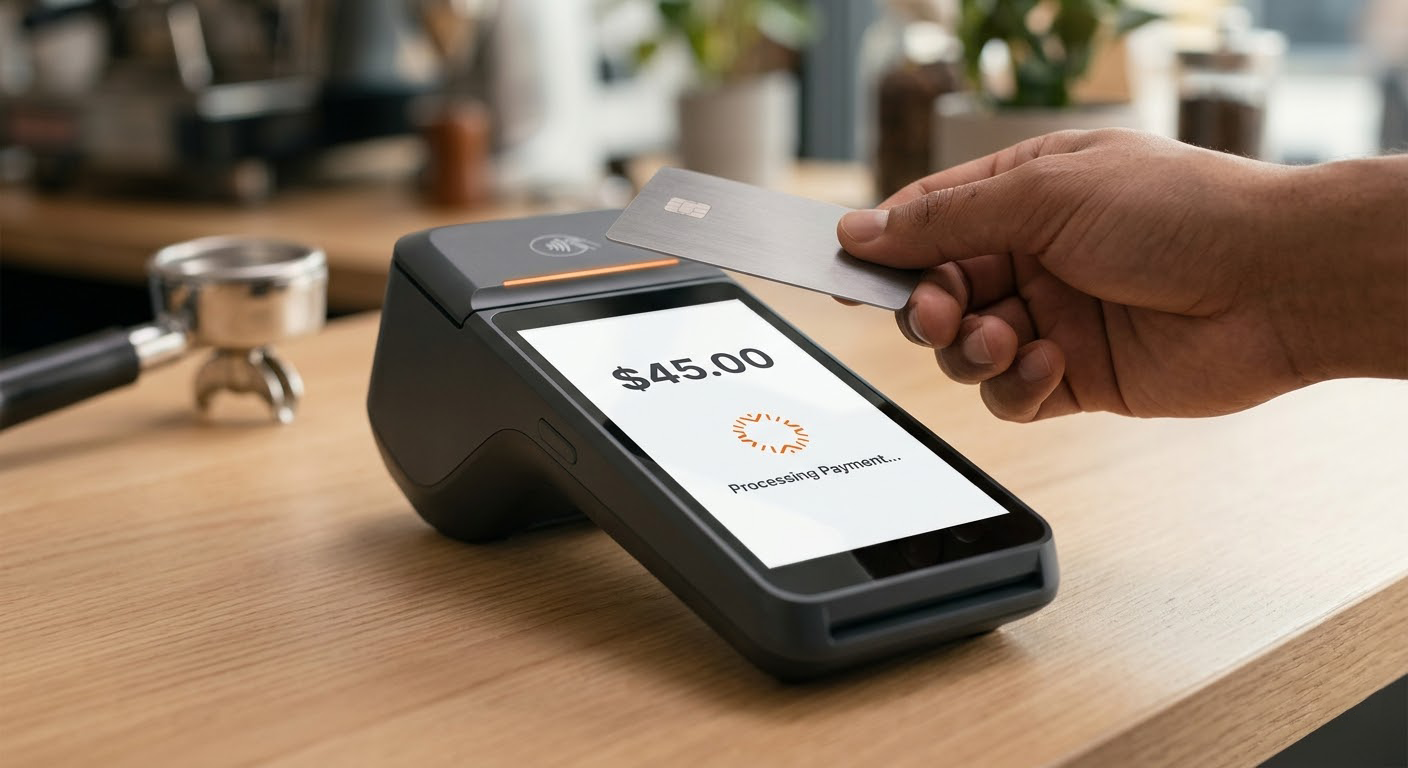
FoxPay POS terminal processing a tap-to-pay transaction at a counter
A terminal is the right fit when the business needs a stable staff-operated payment point instead of a roaming or self-service setup.

Where This Hardware Fits

Use a terminal when the payment point belongs at a stable front-desk or counter surface

  • Fit reception desks, check-in stations, and customer-facing service counters.
  • Support staff-guided payment handoff where the transaction reliably happens in one place.
  • Create a consistent front-counter payment surface for routine daily use.

Best Operating Environment

  • Fixed desks and counters with regular customer traffic.
  • Businesses where staff should guide the payment interaction start to finish.
  • Operations that need a stable in-person payment point rather than a roaming or self-service model.

How Payment Happens

Keep the transaction at the desk when the desk is part of the service workflow

1

Customer reaches the counter

The service flow naturally leads to a front desk, reception point, or fixed checkout station.

2

Staff guides the payment

The terminal supports the standard handoff where a staff member manages the transaction directly.

3

Use other routes only when needed

If the business also bills remotely or uses mobile staff, those routes can sit alongside the counter setup instead of replacing it.

4

Connect the commercial layer

Use Pricing and the payment foundation when the business needs to understand the wider scope around the terminal deployment.

Best For

Routine front-counter checkout

Strong where the payment interaction is part of the normal desk or reception handoff.

Not For

Roaming staff or unattended payment moments

If payment needs to move through the environment or become self-service, a different hardware class usually fits better.

Tradeoff

More stable than mobile hardware, less flexible away from the counter

A terminal is strongest when checkout should stay anchored to a fixed point in the business.

Related Layer

Payment Processing

Use the payment foundation when the terminal is one part of a broader mix of in-person and remote collection routes.

Explore Payment Processing

Related Hardware

Standalone Mobile Reader

Use the portable reader when the business needs a lighter backup device beyond the main front-counter terminal.

View Standalone Reader

Related Review

Pricing

Move into pricing once the business knows the terminal is the right physical environment and what else needs to connect to it.

Review Pricing

FAQ

When is a terminal better than a mobile reader?

When checkout belongs at a fixed desk or counter and staff do not need to move through the environment with the device.

FAQ

When is a kiosk better than a terminal?

When the business wants customers to begin payment or check-in on their own instead of having staff guide the entire interaction.

FAQ

Can a business use terminals and paylinks together?

Yes. Many operations take payment at the counter most of the time and still need remote billing for deposits, balances, or later completion.

FAQ

Does the terminal decide the whole payment model?

No. It decides the physical checkout environment. The wider model may still include remote, online, or customer-initiated routes.

Next Step

Use POS Terminal when the payment handoff belongs at a stable front-counter surface

This hardware path is strongest when the desk is already part of the service model and the business wants a reliable staff-operated checkout point.